
Does Am I Nima Have Controller Support? Controls Guide
Native Am I Nima controller support is unconfirmed as of 2026-11-28. See how its mouse point-and-click controls work and how to bind Steam Input.
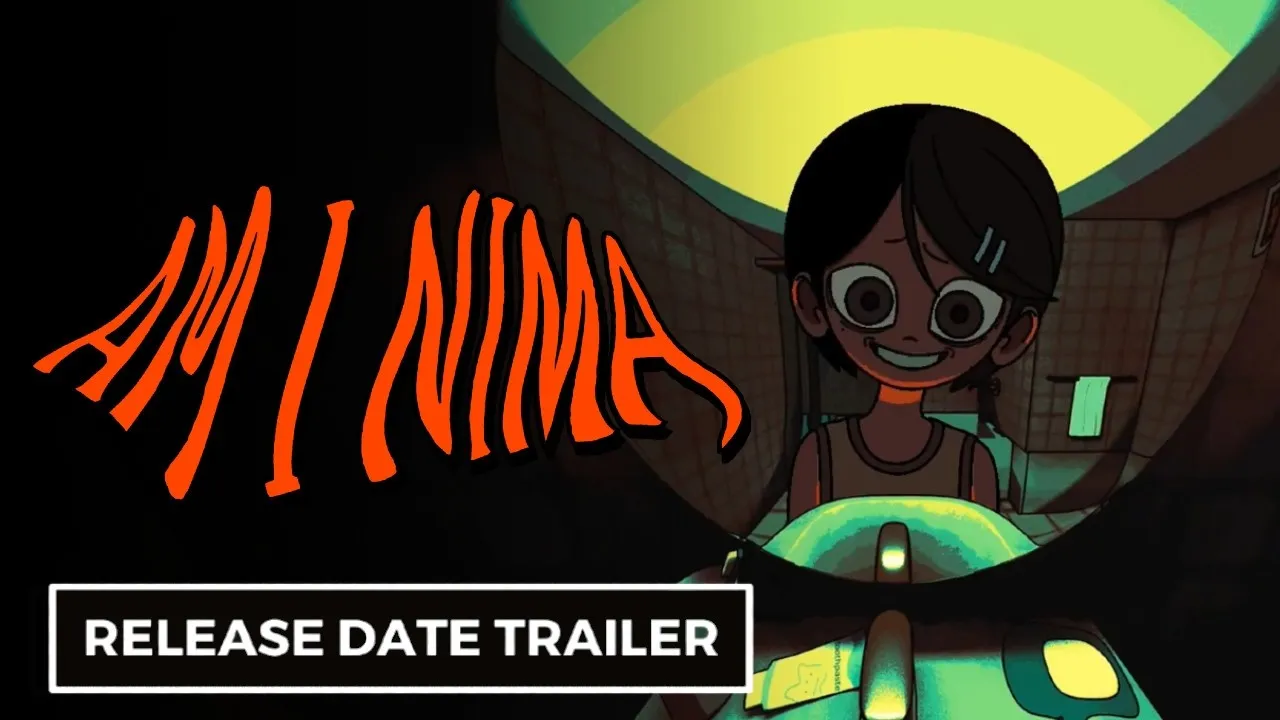
As of 2026-11-28, native Xbox and PlayStation controller support in Am I Nima is unconfirmed. Released on November 27, 2026 by HO! Games and Outersloth on the Am I Nima Steam store page, the game is built as a 2D point-and-click psychological horror adventure centered on mouse input. If you want to play with a gamepad on PC or a handheld, you need to map cursor movement and click-and-drag through Steam Input rather than relying on built-in controller prompts.
Confirmed Am I Nima Controls and Platform Status
The official Steam store listing categorizes Am I Nima under Point & Click, Visual Novel, and Interactive Fiction, and neither the store listing nor the Am I Nima Steam Discussions documents native Xbox or PlayStation gamepad support as of 2026-11-28.
Every core action in the basement relies on pointer control:
- Object inspection: Click items around the room—such as a worn-out plushie, a locked drawer, or a hurriedly scribbled note—to collect words tied to Nima Lee’s thoughts.
- Brain UI word combination: Drag and combine collected words inside Nima’s mind to unlock deeper meanings and buried memories.
- Mouth dialogue flow: Select and feed discovered words into conversation during Annabelle Lee’s tests to steer how Nima answers her mother.
As of 2026-11-28, Am I Nima is available on Steam for PC and Mac via the official Steam page, with no official Nintendo Switch, PS5, Xbox, or mobile releases announced or available. Players waiting for a console port with native gamepad controls can track updates on our Nintendo Switch and console status page.

Am I Nima - Official Release Date Trailer
Setting Up a Gamepad With Steam Input
Because Am I Nima expects cursor movement and click-and-drag word fusion rather than directional menus, a standard controller will not drive the brain UI on its own unless Steam translates gamepad inputs into mouse events. Open Steam’s Controller Layout menu for the game, enable Steam Input, and start from a mouse-emulation template (such as Mouse Only or Joystick Mouse).
| In-Game Interaction | Native PC Input | Suggested Steam Input Mapping |
|---|---|---|
| Explore basement objects | Move pointer and Left Click | Right stick or trackpad as Mouse; Right Trigger (RT/R2) as Left Click |
| Drag words in the brain UI | Click, hold, and drag word tiles | Hold Right Trigger (Left Click) while steering the stick or trackpad |
| Place words in Mom’s tests | Select and drop words in dialogue | Mouse cursor plus Right Trigger (or bind A/Cross as a backup Left Click) |
Lower your stick-to-mouse sensitivity before longer word-combination sessions. High acceleration makes holding a trigger while dragging two word tiles together feel loose, while a slower cursor curve—or a trackpad on handheld hardware—keeps word placement steady. Handheld players weighing trackpad layouts against analog stick bindings can check our Steam Deck compatibility guide.
If you have not purchased the 1.0 release yet, download the free Am I Nima demo from the Steam store page first. The demo covers early basement chapters, letting you test how comfortable Steam Input word dragging feels on your gamepad before committing to a full playthrough.
Fixing Unresponsive Controls and Input Hangs
When a mapped controller stops registering clicks or drags mid-run, confirm whether Steam Input or an in-game launch bug is behind the lockup before rebuilding your layout.
Move your physical mouse first to isolate the cause. If the window freezes on launch or stays blank before any input works, start with our startup gray screen fix. If the cursor still moves freely but clicking words fails to advance Mom’s tests, you may be hitting a progression freeze rather than a dropped controller binding—check the stuck dialogue and freeze fix and the Obsession softlock bug fix.
Threads on the Am I Nima Steam Discussions as of 2026-11-28 also report early 1.0 quirks such as skip-function glitches and locked-room stalls. Relaunching once with Steam Input toggled off is the fastest way to separate an overlay conflict from a game bug. Before verifying files or resetting client settings during troubleshooting, back up your progress using our PC and Mac save file location guide.
Related Articles
platforms
Am I Nima on Steam Deck: Status, Linux & Controls
As of 2026-11-28, Am I Nima lacks an official Steam Deck rating and native Linux listing. Check its point-and-click controls and demo tips.
platforms
Am I Nima Trigger Warnings, Content Notes & Rating
Am I Nima targets mature audiences with emotional and child abuse, captivity, and memory trauma themes. See confirmed warnings and rating info.
platforms
Is Am I Nima on Mobile? Official Android & iOS Status
As of Nov 28, 2026, Am I Nima is not on Android or iOS and has no official APK. Check its confirmed Steam status and avoid fake mobile clones.
Was this helpful?
Thanks for the feedback!